How to link your Shelly account to qtrl.me and choose which devices to share, so relays and sensors can be used in automations and on the dashboard.
Shelly devices connected to Shelly Cloud can be shared with qtrl.me. Once shared, you can see their values here, control the relays, and use them in schedules, thermostats and flows the same way as RF devices via the hub.
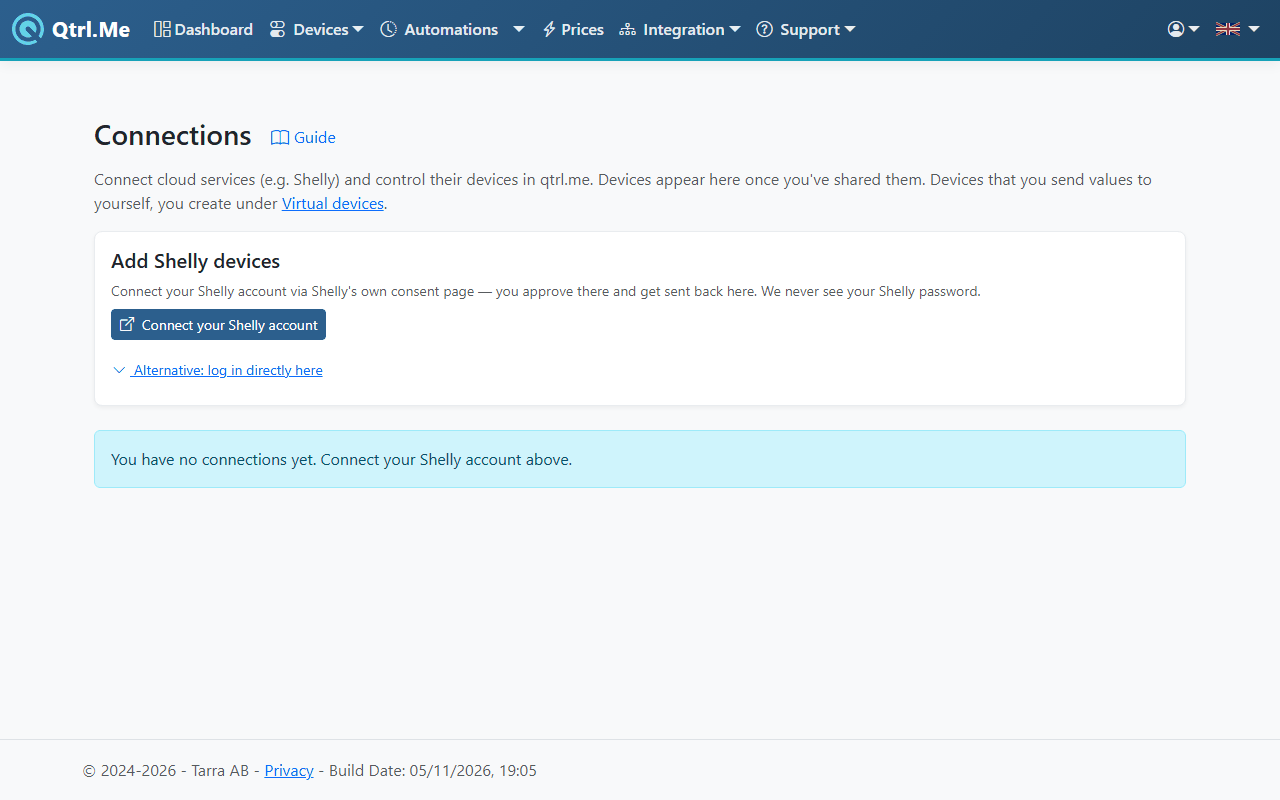
Connect the account
- Go to Devices → Connections.
- Under Add Shelly devices, click Connect your Shelly account. You are sent to Shelly's own consent page, where you approve and are returned here. qtrl.me never sees your Shelly password.
- If the account has several homes, choose which one under Choose home.
If the consent page is being difficult, you can open Alternative: log in directly here and enter the Shelly account's email and password, then click Fetch devices. The password is sent encrypted and is not stored with us.
Choose devices to share
Once the account is connected, your Shelly devices are shown under Select devices to share, grouped by room, with their type and whether they are online.
- Tick the devices you want to use in qtrl.me. Search by name, room or type if the list is long. Select all and Clear are available for the whole list.
- Below the list you can see how many you have selected and how many your plan allows.
- Click Share selected. The devices show up in the connection shortly, usually within a minute.
You can share more devices later by repeating these steps.
Using the devices
Shelly relays and dimmers appear in the device picker in every automation and on the dashboard, so you control them the same way as RF devices. Sensors such as temperature, power and energy work as conditions in flows and as readings on the dashboard. Commands go through Shelly Cloud, so the device must be online with Shelly.
On the Connections page, each device is shown with its latest values and when they were last updated.
Removing
- A single device: click the trash icon on the device's row and confirm with a second click. The sharing is also ended on Shelly's side.
- The whole connection: click Remove in the connection's header and confirm. All devices in the connection are removed from qtrl.me and the sharing is ended on Shelly's side. Automations that used the devices will skip them.
Good to know
- Devices from connections and virtual devices share the same pool of connected devices, limited by your plan. The page shows how many you are using.
- Shelly devices running without the cloud (local only) cannot be shared this way.